
78 percent of homebuyers work with the first agent who responds to their inquiry. Not the most experienced agent. Not the agent with the best listings. The first one.
If you are still manually following up with leads, juggling five different tools to run your real estate business, or letting calls go to voicemail after hours, you are losing deals to agents who automated this months ago. GoHighLevel for real estate agents is how they are doing it, and this guide covers exactly how to set it up in 2026.
This is not a surface-level overview. This guide covers GoHighLevel for real estate agents in full: the exact pipeline structure to build, the four automations that move the needle, how to deploy Voice AI for after-hours lead capture, what it costs versus dedicated real estate CRMs, and the limitations nobody tells you about before you sign up.
Why GoHighLevel for Real Estate Agents Makes Sense in 2026
GoHighLevel was not built specifically for real estate. It was built for marketing agencies. That distinction is actually what makes it powerful for agents, because instead of being locked into one industry’s idea of how a CRM should work, you get a fully configurable platform that you shape around your exact sales process.
What GoHighLevel gives real estate agents that dedicated real estate CRMs do not:
- Full marketing automation across email, SMS, and voice in one platform
- Funnel and landing page builder for home valuations and listing pages
- Voice AI for 24/7 inbound lead handling without a receptionist
- Pipeline management built around your actual transaction flow
- Reputation management and automated review requests after closings
- White-label capability if you build a team or want to resell the system
The cost comparison alone makes a compelling case. GoHighLevel starts at $97 per month with unlimited contacts. KVCore starts at $499 per month. BoomTown starts at $1,000 per month or more. Agents report saving $400 to $1,000 per month switching to GoHighLevel while getting more marketing capability than the dedicated platforms provide.
Agents using GoHighLevel report lead-to-close rate increases of 30 to 50 percent after implementing the core automation workflows. An agent in Austin documented doubling his appointment volume within 60 days of automating SMS follow-up through GoHighLevel.
GoHighLevel for Real Estate Agents: What You Need Before Setup
Before touching the GoHighLevel dashboard, have these ready:
- Your business email and phone number
- Your brokerage information for profile setup
- Your active lead sources (Zillow, Realtor.com, Facebook Ads, website, referrals)
- Your current follow-up process written out as a sequence of steps
- A list of the most common questions leads ask before booking a showing or consultation
Having your current process documented before you build means you are automating what actually works in your business, not guessing at what a generic template assumes you do.
Step-by-Step: Setting Up GoHighLevel for Real Estate Agents
Step 1: Create Your GoHighLevel Account
Go to GoHighLevel and start a 14-day free trial. Choose the Starter plan at $97 per month for solo agents. If you manage a team or want to run multiple pipelines and automation sequences across different farm areas or property types, the Unlimited plan at $297 per month is the right starting point.
Complete your agency profile with your real name, brokerage name, business address, and contact details. This information feeds into your contact records and automated messages.
Step 2: Set Up Your Phone Number
Navigate to Settings, then Phone Numbers. Purchase a local phone number in your market area. This number handles inbound calls through your GoHighLevel system, receives SMS replies from automated sequences, and integrates with Voice AI if you enable it.
A local area code matters in real estate. Leads from your market are significantly more likely to answer a call from a local number than from a toll-free or out-of-area number.
Step 3: Build Your Contact Database
Go to Contacts. If you have an existing contact list in another CRM or spreadsheet, import it via CSV. Map your columns to GoHighLevel’s standard fields: first name, last name, email, phone, source, and any custom fields you need for your business such as buyer or seller status, price range, or preferred neighborhoods.
Create custom contact fields that matter for real estate lead management:
- Lead Type: Buyer, Seller, Investor, Renter
- Price Range: budget bracket
- Timeline: how soon they want to buy or sell
- Area of Interest: neighborhood or zip code
- Lead Source: Zillow, Facebook, referral, website
These fields drive your automation routing later. A buyer with a 30-day timeline needs a different sequence than a buyer who is 12 months out.
Step 4: Build Your Real Estate Pipeline
Navigate to Opportunities, then Pipelines. Create a new pipeline. For most real estate agents, a single pipeline covering the full buyer or seller journey works best to start.
Recommended GoHighLevel real estate pipeline stages:
| Stage | Description |
|---|---|
| New Lead | Just entered system, not yet contacted |
| Contacted | First outreach made |
| Consultation Booked | Call or meeting scheduled |
| Consultation Complete | Met with agent, qualified |
| Active Search or Listing | Working with agent on active transaction |
| Under Contract | Deal in progress |
| Closed | Transaction complete |
| Referral Nurture | Post-close long-term relationship |
The Referral Nurture stage is where most agents leave money. Past clients are your highest-converting lead source, and an automated monthly touch sequence keeps you top of mind when their friends and family are ready to buy or sell.
Step 5: Configure Lead Source Integrations
Connect your lead sources to GoHighLevel so new leads automatically enter your CRM without manual data entry.
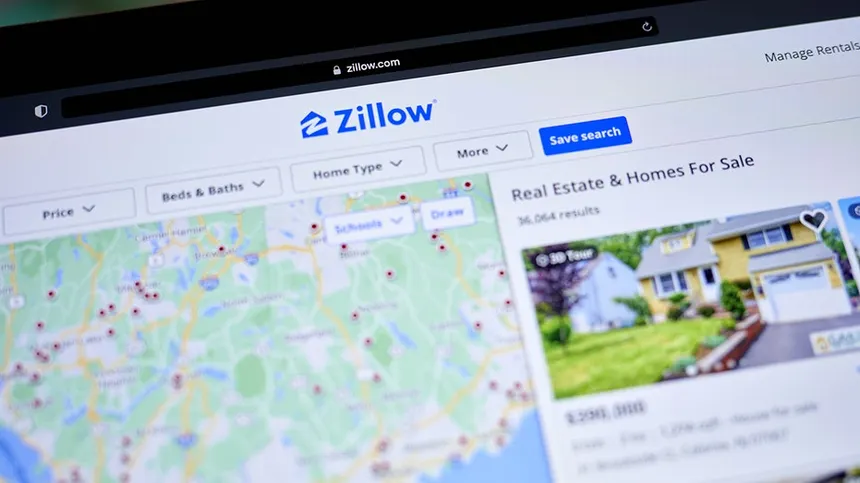
Zillow leads: Use GoHighLevel’s Zapier or Make.com integration to pull Zillow leads into your contact database automatically. When a new Zillow lead arrives, they appear in your CRM and your instant follow-up workflow fires within seconds.
Facebook Lead Ads: Connect your Facebook Ads account directly through GoHighLevel’s integrations settings. New lead form submissions populate your CRM instantly and trigger your automated follow-up sequence.

Website contact forms: Embed GoHighLevel forms on your real estate website. Submissions go directly into your CRM with no manual transfer needed.
Referrals: Add manually through the Contacts section or via a simple intake form you send to the referring party.
Make.com GoHighLevel Integration Complete Guide 2026
The 4 GoHighLevel Automations Every Real Estate Agent Needs
You do not need 47 automations. You need four. These four workflows handle the highest-leverage activities in a real estate business and eliminate the manual work that costs agents deals every week.
Automation 1: Instant Lead Response (The Speed-to-Lead Workflow)
Responding within 5 minutes makes you 100 times more likely to connect with a lead compared to responding within 30 minutes. This workflow makes instant response the automatic default regardless of when a lead arrives.
Trigger: New contact created from any lead source
Actions:
- Immediately send SMS: “Hi [First Name], this is [Agent Name] with [Brokerage]. Thanks for reaching out about homes in [Area]. I would love to help. Are you looking to buy, sell, or both?”
- Immediately send email: personalized introduction with your photo, bio, and a link to book a consultation
- Create opportunity in pipeline at “New Lead” stage
- Create task for you: “Call [First Name] within 15 minutes”
- Wait 30 minutes with no reply: send follow-up SMS with different angle
- Wait 24 hours with no reply: send email with market snapshot or home value content
Result: Every lead gets a personal-feeling response within seconds. You stay top of mind while competing agents are still manually checking their inbox.
Automation 2: Property Inquiry Qualification Sequence
Not every lead is ready to transact now. This workflow qualifies where each lead sits in their timeline and routes them to the right nurture sequence automatically.
Trigger: Lead replies to initial SMS or submits qualification form
Conditional routing:
- Timeline under 90 days: tag “Hot Lead,” assign to priority pipeline, schedule consultation call immediately
- Timeline 3 to 12 months: tag “Warm Lead,” add to monthly market update sequence, schedule quarterly check-in call
- Timeline over 12 months: tag “Long Nurture,” add to bimonthly educational email sequence
Result: Your time goes to the leads most likely to transact in the next 90 days. Long-term prospects stay warm automatically until their timeline shortens.
Automation 3: Showing Appointment Confirmation and Reminder
No-show rates for property showings run 20 to 35 percent without reminder automation. This workflow cuts that significantly.
Trigger: Appointment booked in GoHighLevel calendar
Actions:
- Immediately send confirmation SMS with date, time, property address, and your direct number
- Immediately send confirmation email with showing details and what to expect
- 24 hours before showing: send reminder SMS with property address and a photo or listing link
- 2 hours before showing: send final reminder with your cell number in case of changes
- 15 minutes after scheduled time with no check-in: send “running late?” SMS
- After showing complete: send follow-up SMS asking for feedback and next steps
Result: No-show rates drop significantly. Prospects arrive prepared and engaged. Your follow-up after the showing happens automatically before you have even finished writing your notes.
Automation 4: Post-Close Referral Nurture
Your past clients are your best lead source. This workflow keeps you top of mind long after the transaction closes without any manual effort.
Trigger: Opportunity moved to “Closed” stage
Actions:
- Day 0: Send congratulations SMS and email with moving day checklist
- Day 7: Send check-in SMS: “How is the new home treating you?”
- Day 30: Send first monthly market update email for their neighborhood
- Day 90: Send personal check-in SMS
- Day 180: Send home value update for their property
- Annually on closing anniversary: Send anniversary SMS with market update
- Every month thereafter: Send neighborhood market report email
Result: Past clients think of you first when someone in their network mentions buying or selling. Referral volume increases without cold outreach or paid advertising.
GoHighLevel Automation Workflows Every Agency Must Build in 2026
GoHighLevel Voice AI for Real Estate: After-Hours Lead Capture
This is the capability that gives GoHighLevel a significant edge over every dedicated real estate CRM in 2026. GoHighLevel’s Voice AI answers every inbound call 24/7, qualifies the caller, and books showings or consultations directly into your calendar without you being available.

Real estate has a unique after-hours problem. A homeowner decides they want to sell on a Sunday evening. They call three agents. Two go to voicemail. The third, running Voice AI, picks up instantly, has a qualifying conversation, and books a listing consultation for Monday morning. The deal is effectively won before Monday starts.
How to set up Voice AI for real estate in GoHighLevel:
- Enable the AI Employee add-on ($97/month per sub-account)
- Navigate to Settings, then AI Voice
- Assign your business phone number to the Voice AI agent
- Write your agent prompt covering: agent name and brokerage, primary goal (qualification and booking), property types handled, service areas, and escalation triggers for complex questions
- Upload your knowledge base: FAQ document covering common buyer and seller questions, your service areas, your typical process, and what happens at a consultation
- Connect your GoHighLevel calendar for real-time availability
- Test with 20 inbound calls before going live
Sample Voice AI prompt for real estate:
“You are [Agent Name], a real estate agent with [Brokerage] serving [City/Area]. Your goal is to warmly greet callers, find out whether they are looking to buy or sell, understand their timeline and situation, and book a free consultation with [Agent Name] if they are interested. You do not discuss specific property prices or make market predictions. For complex questions about specific listings or market conditions, tell the caller that [Agent Name] will cover that in detail during their consultation and focus on securing the booking.”
GoHighLevel Real Estate Funnels: Lead Capture That Works
GoHighLevel’s funnel builder lets real estate agents create high-converting lead capture pages without hiring a developer or paying for separate software.
Three highest-converting real estate funnels to build in GHL:
Home Valuation Funnel
The most effective real estate lead magnet. Homeowners enter their address to receive a free home value estimate. The funnel collects their contact information, fires your instant lead response workflow, and routes them into your seller nurture sequence.
Page structure: Headline with clear value proposition, address input field, contact information form, thank-you page with next steps.
Buyer Guide Funnel
A free downloadable guide covering the home buying process in your market. Captures buyer leads in research mode who are not yet ready to contact an agent directly but will be within 90 to 180 days.
Page structure: Guide preview, email capture, immediate PDF delivery, enrollment in buyer education email sequence.
Open House Registration Funnel
Collects attendee information for open houses before they arrive. Warm leads from open house registration receive automated follow-up starting the day after the event.
Page structure: Property photo, key details, registration form, confirmation email with event details and directions.
GoHighLevel for Real Estate: Cost vs Competing Platforms
| Platform | Starting Price | Contacts | Automation | Funnels | Voice AI |
|---|---|---|---|---|---|
| GoHighLevel Starter | $97/month | Unlimited | Full | Included | Add-on $97/mo |
| KVCore | $499/month | Unlimited | Basic | No | No |
| BoomTown | $1,000+/month | Unlimited | Moderate | No | No |
| Follow Up Boss | $69/user/month | Unlimited | Moderate | No | No |
| LionDesk | $39/month | Unlimited | Basic | No | No |
For a solo agent, GoHighLevel delivers more marketing capability than KVCore or BoomTown at a fraction of the cost. The tradeoff is setup time: dedicated real estate CRMs come pre-configured for real estate workflows. GoHighLevel requires you to build those workflows yourself or import a pre-built snapshot.
For agents comfortable with marketing technology, that tradeoff is worth it. For agents who want to open a CRM and start working immediately without any configuration, a dedicated real estate CRM or a pre-built GoHighLevel snapshot from a certified partner is a better starting point.
GoHighLevel Real Estate Snapshot: Skip the Build Phase
A GoHighLevel snapshot is a pre-built template that includes pre-configured pipelines, automation workflows, email and SMS sequences, and funnel pages for a specific industry.
Real estate snapshots are available through the GoHighLevel marketplace and certified partners. A quality real estate snapshot gives you: buyer and seller pipelines pre-built, instant lead response workflows already configured, appointment confirmation sequences ready to activate, post-close nurture campaigns pre-written, and home valuation and buyer guide funnels ready to customize.
Importing a snapshot reduces your setup time from 3 to 6 weeks of DIY configuration down to a few days of customization. If you are not confident building automation workflows from scratch, a real estate snapshot is the right starting point.
GoHighLevel Real Estate Limitations to Know
GoHighLevel is the right platform for most real estate agents in 2026. But it has real limitations worth knowing before you commit.
No native IDX integration: GoHighLevel does not natively display MLS listings on your website. If you want property search functionality on your GHL site, you need a third-party IDX service like IDX Broker at an additional $50 to $150 per month.
No transaction management: Dedicated real estate platforms like Dotloop or SkySlope handle transaction documents, commission calculations, and compliance workflows. GoHighLevel does not. You will need a separate transaction management tool if your brokerage requires it.
Setup time investment: A properly configured GoHighLevel account for real estate takes 20 to 40 hours to build from scratch. This is not a plug-and-play solution. Budget for setup time or hire a GHL-certified agency to build it for you.
Learning curve: GoHighLevel has significantly more capability than dedicated real estate CRMs, and that capability comes with complexity. Most agents need 2 to 4 weeks to feel comfortable navigating and managing the platform.
FAQ
Q: Is GoHighLevel worth it for real estate agents?
A: For real estate agents who want maximum marketing automation capability at the lowest cost, yes. GoHighLevel at $97 per month delivers more automation capability than KVCore at $499 per month or BoomTown at $1,000 per month. The tradeoff is setup time and a steeper learning curve than dedicated real estate CRMs.
Q: How long does it take to set up GoHighLevel for real estate?
A: A full DIY setup with custom pipelines, automation workflows, and lead capture funnels typically takes 3 to 6 weeks for an agent with no prior GHL experience. Using a pre-built real estate snapshot reduces that to 3 to 7 days of customization. Hiring a certified GHL agency to build it typically takes 2 to 4 weeks.
Q: Does GoHighLevel integrate with Zillow?
A: GoHighLevel does not have a direct native Zillow integration. Zillow leads can be connected to GoHighLevel through Make.com or Zapier, which automatically creates a contact in GHL when a new Zillow inquiry arrives and triggers your instant follow-up workflow.
Q: Can GoHighLevel replace my real estate CRM completely?
A: For most solo agents and small teams focused on lead generation and follow-up automation, yes. GoHighLevel replaces your CRM, email marketing tool, SMS platform, funnel builder, and appointment scheduler in one platform. It does not replace dedicated transaction management software or IDX property search tools.
Q: What is a GoHighLevel real estate snapshot?
A: A snapshot is a pre-built GoHighLevel template containing pre-configured pipelines, workflows, email sequences, SMS campaigns, and funnel pages built specifically for real estate agents. Importing a snapshot into your GHL account gives you a working real estate automation system without building each component from scratch.
Q: Does GoHighLevel have Voice AI for real estate?
A: Yes. GoHighLevel’s AI Employee add-on at $97 per month per sub-account includes Voice AI that answers inbound calls 24/7, qualifies leads, and books consultations or showings directly into your calendar. For real estate agents, after-hours Voice AI captures leads from evening and weekend calls that would otherwise go to voicemail.
Final Thoughts on GoHighLevel for Real Estate Agents
GoHighLevel for real estate agents is the highest-value marketing automation platform available in 2026 for agents willing to invest in setup. The combination of instant lead response, multi-channel follow-up automation, Voice AI for after-hours coverage, and funnel building at $97 to $297 per month delivers more capability than platforms charging five to ten times the price.
The agents winning with GoHighLevel in 2026 are not running 50 complex automations. They built the four core workflows above, connected their lead sources, and let the system run. The speed-to-lead workflow alone recaptures enough deals in the first month to pay for the platform for the year.
Start with the Starter plan. Import a real estate snapshot if you want to skip the build phase. Activate the instant lead response workflow first. Add Voice AI when you are ready to capture after-hours calls. Build from there.
Explore more GoHighLevel setup guides, automation workflows, and CRM strategies at makeJUMP Articles, covering everything agents and agency operators need to build systems that close more deals in 2026.

Jaber Rayhan has 6+ years of hands-on experience creating marketing systems, sales pipelines, and automation workflows for service businesses in the USA, UK, Europe and the Middle East, as a CRM automation specialist and GoHighLevel expert. He is a CRM Expert and Manager at Sales Compass where he creates and implements end-to-end GHL automation solutions for real clients, such as CRM architecture, funnel design, appointment workflows, and lead qualification systems. He is also the founder of makeJUMP, a digital agency that specializes in CRM automation and GoHighLevel builds. All makeJUMP Articles are based on first-hand experience with implementation, not just research.