
Opening GoHighLevel for the first time feels like walking into a cockpit with no flight training. There are pipelines, sub-accounts, workflows, smart lists, conversations, calendars, and snapshots all visible at once, and none of it makes intuitive sense until someone explains the underlying logic.
This GoHighLevel CRM tutorial removes that confusion. Starting from zero, it explains every core concept in plain language, walks you through setup in the right order, and gives you a working CRM by the time you finish reading. No assumed knowledge. No skipped steps. Just a clear path from opened account to operational system.
Table of Contents
What Is the GoHighLevel CRM and Why It Matters
The GoHighLevel CRM is the operational core of the entire platform. Every contact, every conversation, every pipeline deal, and every automation intersects here. Before you touch any other GHL feature, the CRM is where you need to start.
GoHighLevel CRM stands out because it brings contact management, pipelines, email, SMS, automation, and funnels into one system. For agencies and service businesses, this means fewer tools, cleaner workflows, and better lead follow-up. Gohighlevel
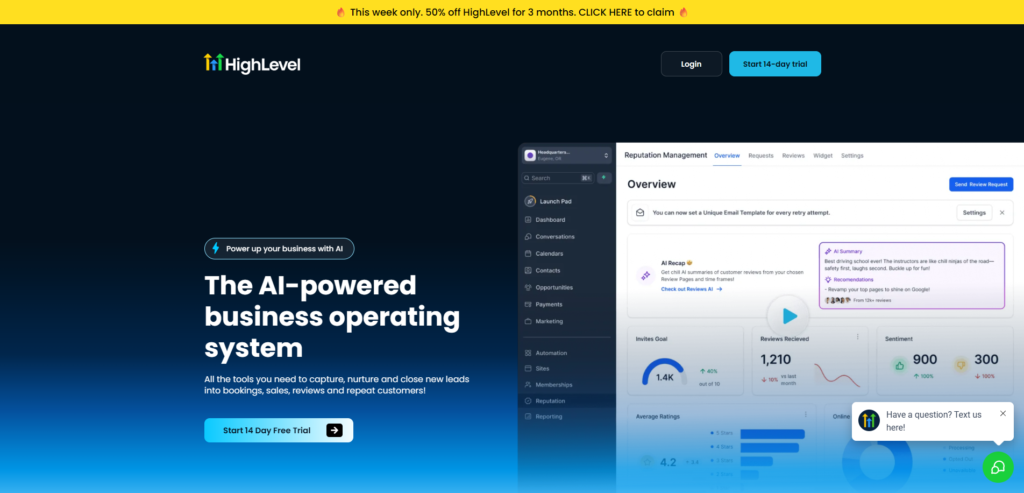
Unlike standalone CRMs like HubSpot or Salesforce, GoHighLevel’s CRM is connected directly to your funnels, automation workflows, SMS system, calendar, and email campaigns. When a lead fills out your form, they automatically appear in the CRM. When they book a call, they move through your pipeline. When they go quiet, a workflow follows up automatically.
A pipeline is not just a Kanban board. It is the operating view of revenue, follow-up timing, and conversion flow. A calendar is not just a scheduling link. It is part of an acquisition and follow-up engine. The platform rewards clear structure. When your account is built well, it can reduce manual work, tighten lead response time, centralize communications, and make reporting easier. Leadlock
Understanding these connections is what separates agencies that get real value from GoHighLevel and agencies that underuse it for months.
The 6 Core Building Blocks of GoHighLevel CRM
Before touching any settings, understand these six concepts. Every other GHL feature connects back to one or more of them.
1. Contacts
A contact is a record for a single person: their name, email, phone number, and any other information you have collected about them. Every lead, prospect, and client in your business becomes a contact in GHL.
GoHighLevel does not limit the number of contacts in a sub-account on any plan. You can have 500 contacts or 500,000 contacts and pay the same flat subscription fee. This is one of GHL’s most significant pricing advantages over contact-tiered platforms like Mailchimp or HubSpot, where per-contact costs escalate significantly as the database grows. Sympana
2. Tags
Tags are labels you attach to contacts to categorize and segment them. Examples include Hot Lead, Facebook Ad, Referral, VIP Client, and Closed Won. Tags are how GHL routes contacts into the right automations and filters them into targeted lists.
Build your tag system before adding contacts. Inconsistent tagging is one of the most common mistakes beginners make and one of the hardest to fix retroactively.
3. Custom Fields
Custom fields capture information beyond the standard name, email, and phone fields. Examples include Budget Range, Service Interest, Business Type, and Timeline. Custom fields feed your automation routing logic and your reporting dashboards.
4. Pipelines and Opportunities
A pipeline is a visual Kanban board showing where each deal sits in your sales process. An opportunity is a single deal card that lives inside a pipeline stage and moves from left to right as the deal progresses.
A pipeline is one of the most powerful features of the GoHighLevel CRM. Leads enter through forms, landing pages, or ads and automatically get placed into the correct pipeline stage. From there, automation handles the follow-up sequence appropriate to that stage. Gohighlevel
5. Smart Lists
Smart Lists are dynamic contact filters that update automatically based on tags, custom field values, pipeline stages, or activity. A Smart List showing all contacts tagged “Hot Lead” who have not been contacted in 3 days updates itself in real time without any manual management.
6. Conversations Inbox
The Conversations inbox is a unified communication hub where every reply from every contact across every channel arrives in one place. SMS, email, Facebook Messenger, Instagram DM, and Google Business Messages all land here.
The Conversations inbox means you never miss a reply. It replaces your email inbox, your SMS app, and your social media DMs, bringing everything into one chronological thread per contact. Gohighlevel
Step-by-Step GoHighLevel CRM Setup for Beginners
Follow these steps in order. Each step builds on the previous one. Doing them out of order is the most common cause of broken workflows and messy data.
Step 1: Set Up Your Sub-Account Correctly
GoHighLevel has two distinct operating layers: the agency level and the sub-account level. The agency level is where a multi-client operator manages templates, snapshots, billing settings, and account creation. The sub-account level is where day-to-day marketing and CRM activity happens for a specific business. Leadlock
If you are a single business using GHL for yourself, the sub-account is your main working environment. If you are an agency, every client gets their own sub-account.
Inside your sub-account Settings, complete:
- Business name, address, and time zone
- Upload your business logo
- Set your business hours (critical for automation scheduling accuracy)
- Confirm your default email address for notifications
Step 2: Set Up Your Phone Number
Navigate to Settings, then Phone Numbers. Click Add Number and purchase a local number with your area code. This number handles inbound calls, sends and receives SMS through your automations, and if you enable Voice AI, handles after-hours call answering.
Complete A2P 10DLC registration before sending any automated SMS. Without registration, carriers filter or block your messages and your automation system delivers nothing to real contacts.
Step 3: Configure Your Custom Fields
Go to Settings, then Custom Fields. Click Add Field and create the fields that matter for your business. Start with these essentials:
- Lead Source (dropdown: Facebook Ads, Google Ads, Referral, Organic, Cold Outreach)
- Service Interest (dropdown: your service types)
- Budget Range (dropdown: budget brackets)
- Timeline (dropdown: immediate, 1 to 3 months, 3 to 6 months, 6 months plus)
- Lead Score (number field for manual or automated scoring)
Setting up custom fields before adding contacts means every contact that comes in will be properly labeled and segmented from day one. Setting this up after the fact means manually updating hundreds of existing records. Gohighlevel
Step 4: Create Your Tag System
Go to Settings, then Tags. Create tags for every status, source, and segment you need. Organize tags into logical groups:
Source tags: Facebook-Lead, Google-Lead, Referral, Organic, Cold-Email
Status tags: Hot-Lead, Warm-Lead, Cold-Lead, Active-Client, Past-Client
Action tags: No-Show, Review-Requested, Review-Given, Proposal-Sent, Contract-Sent
Interest tags: Create one tag per service you offer
Create these before building any automations. Tags that do not exist cannot be applied by workflows, and building your tag system retroactively means auditing every workflow you have already built.
Step 5: Import Your Existing Contacts
If you are migrating from another CRM or have contacts in a spreadsheet, import them now. Go to Contacts, then click Import. Download the GHL CSV template, map your columns to GHL fields, and upload.
During import, assign the correct tags and custom field values for each contact. If your data is clean, this takes 15 to 30 minutes. If your data is messy, clean it in a spreadsheet first before importing.
Step 6: Build Your First Pipeline
Go to Opportunities, then Pipelines. Click Create Pipeline. Name it clearly and add your stages.
For a service business starting out, a simple pipeline works best:
| Stage | What It Means |
|---|---|
| New Lead | Just entered, not yet contacted |
| Contacted | First outreach made |
| Consultation Booked | Call or meeting scheduled |
| Proposal Sent | Proposal delivered |
| Closed Won | Deal confirmed |
| Closed Lost | Deal did not close |
Keep stages to 6 or fewer to start. You can always add stages later as your sales process becomes clearer. More stages means more automation complexity, and that complexity should only come after you understand where your deals actually stall.
[INTERNAL LINK PLACEHOLDER: Link to article about “GoHighLevel Sales Pipeline Setup for Agencies 2026”]
Step 7: Set Up Your Calendar
Go to Calendars, then Create Calendar. Choose between:
- Simple Calendar: One person, one type of appointment, straightforward booking link
- Round Robin Calendar: Multiple team members, leads routed to the next available
- Service Calendar: Multiple service types with separate availability per service
Configure your availability, appointment duration, buffer times between appointments, and confirmation message. Connect it to your Google Calendar to prevent double bookings.
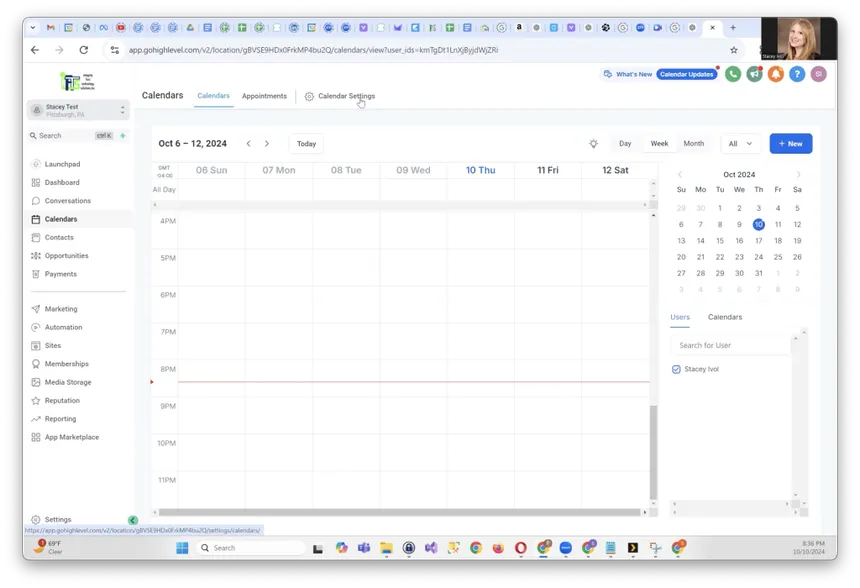
Your calendar connects directly to your automation workflows. When a contact books, GHL can automatically move them to the correct pipeline stage, trigger a confirmation SMS sequence, and create a task for your team.
Step 8: Configure the Conversations Inbox
Go to Settings, then Integrations. Connect:
- Your business email for email sync
- Your Facebook Page for Facebook Messenger
- Your Instagram account for Instagram DMs
- Google Business Profile for Google Messages
Once connected, every channel flows into one Conversations inbox. You reply from one place regardless of which channel the contact used to reach you.
Step 9: Create Your First Smart List
Go to Contacts. Click the Smart Lists option. Create a Smart List with these filters:
- Tag contains “Hot-Lead”
- Last contact date is more than 2 days ago
This list shows you every hot lead you have not contacted in 2 days. Check it every morning. It is your daily priority list for manual outreach.
Create additional Smart Lists as needed: active clients by service type, leads in specific pipeline stages, contacts who have not booked after a consultation.
The GoHighLevel CRM Workflow: How It All Connects
Understanding how the pieces connect is what transforms GHL from a confusing dashboard into a logical system.
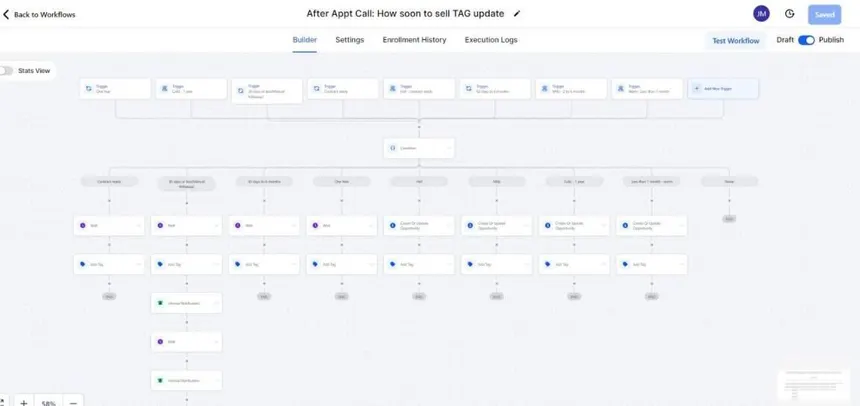
Here is the full contact journey inside GoHighLevel CRM:
Step 1: Lead submits a form on your GHL funnel or landing page.
Step 2: GHL automatically creates a contact record with name, email, phone, and any form field data mapped to custom fields.
Step 3: A workflow trigger fires immediately. The workflow sends an instant SMS response, creates an opportunity in your pipeline at the “New Lead” stage, assigns a tag based on the form source, and creates a task for your team.
Step 4: The contact appears in your pipeline board in the New Lead column and in your Conversations inbox with the SMS thread visible.
Step 5: If the contact replies to your SMS, the reply appears in Conversations. If they do not reply, your workflow continues the follow-up sequence automatically.
Step 6: When the contact books a consultation, the opportunity moves to “Consultation Booked” automatically. A reminder sequence fires. Your calendar blocks the time.
Step 7: After the consultation, you move the opportunity manually to “Proposal Sent.” A follow-up sequence fires automatically based on the stage change.
Step 8: Deal closes. Opportunity moves to “Closed Won.” Client onboarding sequence fires. Tag changes from “Hot-Lead” to “Active-Client.” They exit the sales pipeline and enter a client management workflow.
Every step after the initial form submission runs automatically. Your team’s time goes to high-value interactions, not repetitive manual tasks.
GoHighLevel Automation Workflows Every Agency Must Build 2026
GoHighLevel CRM: The Most Common Beginner Mistakes
Mistake 1: Building automations before setting up custom fields and tags
Automations reference tags and custom fields that need to exist before the workflow is built. Building automations first means rebuilding them after you create the fields and tags they should reference.
Mistake 2: Importing contacts without cleaning the data first
Duplicate contacts, missing phone numbers, inconsistent capitalization, and mixed-format phone numbers all create problems inside GHL that are painful to fix after import. Clean your CSV in a spreadsheet before touching the import tool.
Mistake 3: Building a pipeline with too many stages
Your CRM should work for you, not against you. If something feels too complicated, simplify it. You can always add complexity later as your team gets comfortable with the basics. Voiceai
Start with 5 to 6 stages. Add more only when you can clearly articulate what action or decision point each new stage represents.
Mistake 4: Not connecting all communication channels to Conversations
Agencies that leave Facebook Messenger, Instagram, or Google Messages disconnected miss replies from leads who prefer those channels. Connect every channel you actively use before your first lead arrives.
Mistake 5: Skipping A2P 10DLC registration
This is the most costly mistake for agencies launching client SMS automation. Without A2P registration, SMS messages are filtered or blocked by carriers. The automation works inside GHL but nothing actually reaches the contact. Register before launching any SMS workflow.
Mistake 6: Using the same pipeline for every client type
Different services, different timelines, and different sales processes need different pipeline structures. An agency running one pipeline for all service types ends up with stages that do not make sense for most of the deals they are managing.
GoHighLevel CRM Reporting: What to Track Weekly
GHL’s built-in reporting shows you what is happening across your CRM without exporting data to external tools.
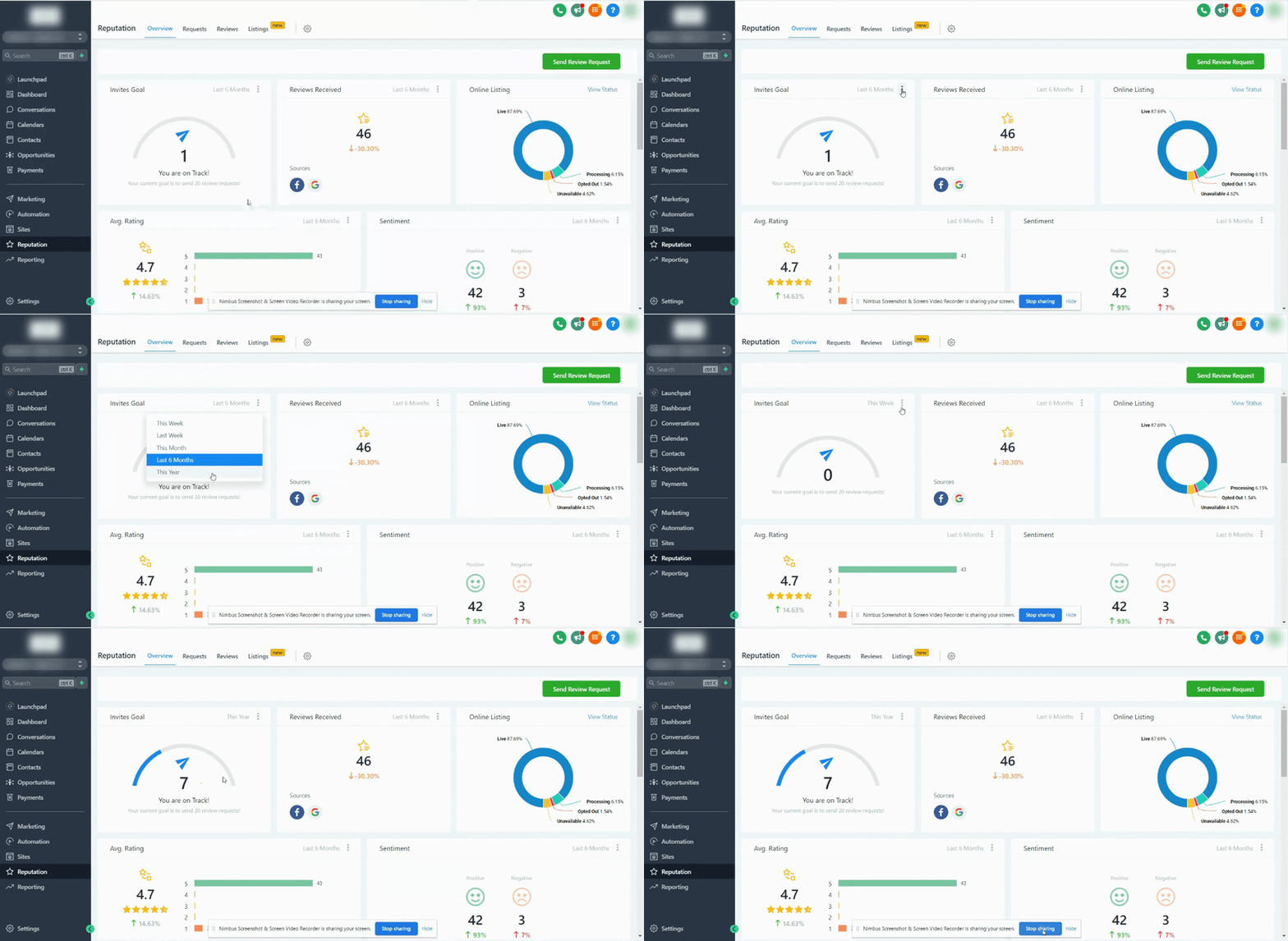
Go to Reports in the left sidebar. Key reports for beginners:
Opportunity Report: Shows total pipeline value by stage, conversion rate between stages, and average time deals spend in each stage. Review weekly to identify where deals are stalling.
Leads Report: Shows new contacts by source, by date range, and by tag. Review monthly to understand which lead sources are producing the most contacts and highest conversion rates.
Appointment Report: Shows bookings, confirmations, no-shows, and cancellations by calendar and by date range. Review weekly to track no-show rates and identify when your reminder sequences need adjustment.
Conversation Report: Shows response rates by channel, average response time, and unread message counts. Review daily to ensure no leads are waiting too long for a reply.
FAQ
Q: What is GoHighLevel CRM used for?
A: GoHighLevel CRM is used to manage contacts, track sales pipeline deals, automate follow-up communications, handle appointment booking, and centralize all client communications in one platform. Service businesses and marketing agencies use it to eliminate manual follow-up work, reduce no-show rates, and increase lead-to-client conversion rates.
Q: Is GoHighLevel CRM good for beginners?
A: GoHighLevel has a steeper learning curve than basic CRMs like HubSpot’s free tier. However, the platform is genuinely learnable for non-technical users who follow a structured setup process. Most beginners have a working CRM with at least one automation running within their first 3 to 5 hours on the platform.
Q: How do I add contacts to GoHighLevel CRM?
A: Contacts enter GoHighLevel CRM in three ways. Automatically through form submissions on GHL funnels and landing pages, through bulk CSV import from your existing contact database, or manually by clicking Add Contact in the Contacts section. The automatic method through funnel forms is the most powerful because it immediately triggers your lead response automation.
Q: What is the difference between a contact and an opportunity in GoHighLevel?
A: A contact is a person record containing their name, contact information, tags, and communication history. An opportunity is a deal record linked to a contact, representing a specific sales transaction with a monetary value, pipeline stage, and close date. One contact can have multiple opportunities over time representing different projects or purchases.
Q: How many contacts can I have in GoHighLevel CRM?
A: GoHighLevel does not limit the number of contacts on any plan. The Starter plan at $97 per month, the Unlimited plan at $297 per month, and the SaaS Pro plan at $497 per month all include unlimited contacts. This is a significant advantage over contact-based pricing models used by HubSpot, Mailchimp, and ActiveCampaign.
Q: How do I set up a pipeline in GoHighLevel CRM?
A: Go to Opportunities in the left sidebar, click Pipelines, then Create Pipeline. Add your pipeline name, then click Add Stage for each step in your sales process. Name each stage clearly, assign win probability percentages, and save. Your pipeline is immediately available for opportunities and automation triggers.
Final Thoughts on GoHighLevel CRM for Beginners
The single most important thing to understand about GoHighLevel CRM is that the value is not in any single feature. It is in how the features connect. A contact form that creates a CRM record, triggers an SMS workflow, creates a pipeline opportunity, and books a calendar appointment in one seamless chain is what makes GHL different from every standalone CRM on the market.
Setting up your GoHighLevel CRM properly from day one will save you countless hours down the road. Build a clean structure first, then build automations on top of it. The platform becomes significantly easier to operate once the foundation is solid. Voiceai
Build your custom fields. Build your tags. Import your contacts. Create your first pipeline. Connect your calendar and communication channels. Then build your first automation. In that order. The rest of the platform becomes logical once those foundations are in place.
Explore more GoHighLevel tutorials, automation guides, and CRM strategies at makeJUMP Articles, covering the systems that help agencies and service businesses build operations that scale in 2026.

Jaber Rayhan has 6+ years of hands-on experience creating marketing systems, sales pipelines, and automation workflows for service businesses in the USA, UK, Europe and the Middle East, as a CRM automation specialist and GoHighLevel expert. He is a CRM Expert and Manager at Sales Compass where he creates and implements end-to-end GHL automation solutions for real clients, such as CRM architecture, funnel design, appointment workflows, and lead qualification systems. He is also the founder of makeJUMP, a digital agency that specializes in CRM automation and GoHighLevel builds. All makeJUMP Articles are based on first-hand experience with implementation, not just research.